


Product details
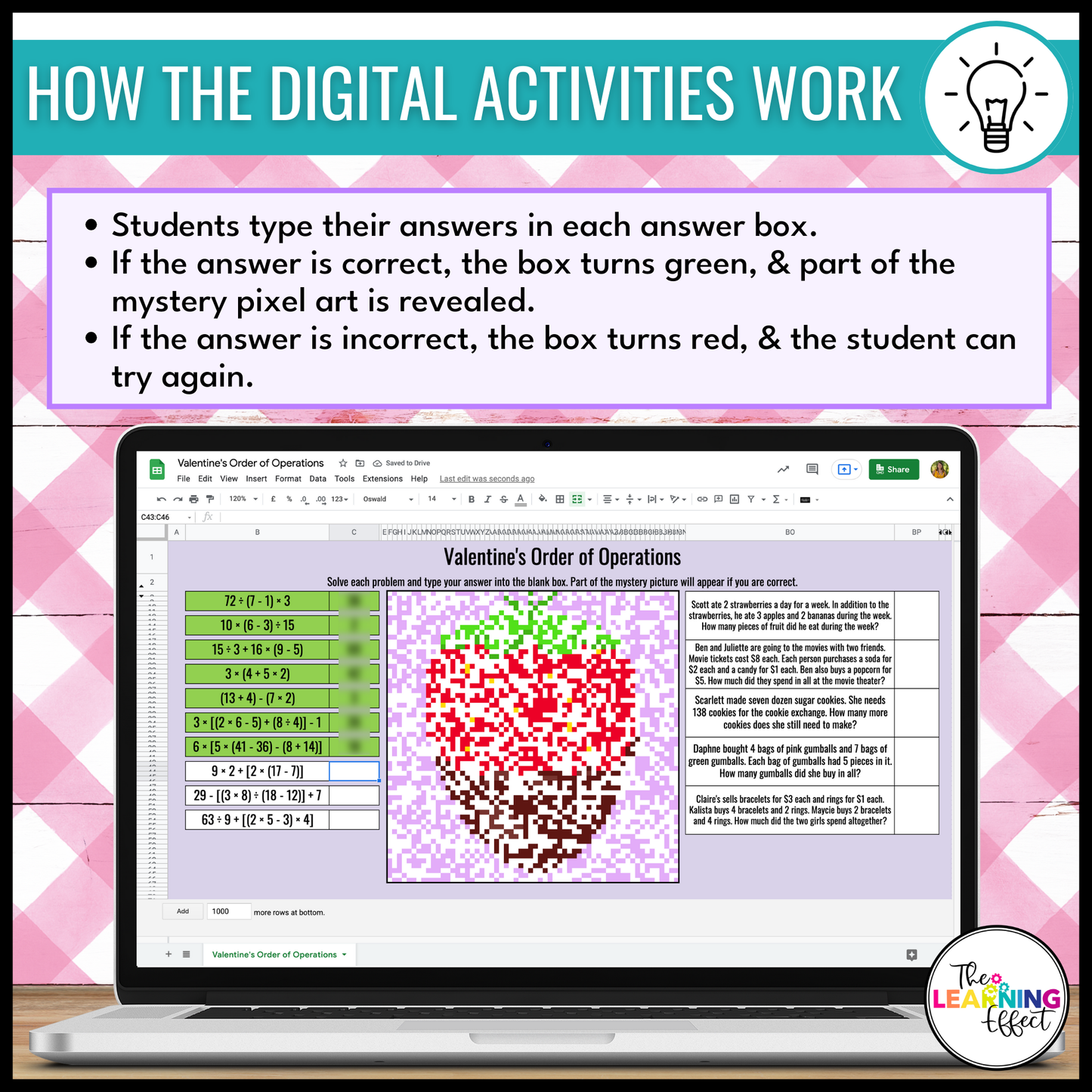
Make math practice exciting with these Valentine's Day Digital Pixel Art Activities! These self-checking Google Sheets activities combine engaging math problems with interactive mystery pictures, giving students instant feedback while they work. Perfect for February, these themed activities are ideal for classroom or remote learning.
WHAT'S INCLUDED
This resource contains four self-checking activities that focus on a variety of math skills:
- Multiply and Divide Whole Numbers
- Add and Subtract Decimals (to the thousandths place)
- Order of Operations (with brackets, without exponents)
- Add and Subtract Fractions (with unlike denominators)
Each activity includes:
- A Google Sheets file where students input their answers to reveal a Valentine's Day-themed mystery pixel picture.
- Answer keys for quick and easy grading.
WAYS TO USE THIS RESOURCE
- Independent Practice: Perfect for math rotations or early finishers.
- Homework: Assign digitally for skill reinforcement at home.
- Sub Plans: A simple-to-assign, engaging digital activity for substitute teachers.
- Review: Use as a review before quizzes or tests to reinforce critical math skills.
- Valentine's Day Fun: Bring festive, interactive math activities to your February lessons.
WHY CHOOSE THIS RESOURCE
- Engaging and Interactive: Students love revealing the pixel pictures while solving math problems.
- Self-Checking: Instant feedback helps students catch and fix mistakes on their own.
- Standards-Aligned: Covers upper elementary math skills for 4th, 5th, and 6th grades.
- Digital Convenience: Perfect for classrooms using Google Apps for Education or other LMS platforms.
- Low Prep: Just assign and watch your students thrive!
SUPPLIES NEEDED
- Internet access and student devices with Google Sheets capability.
INCLUDED IN THESE BUNDLES
- Valentine’s Day Math Activities Color by Number and Pixel Art Bundle
- Holiday Math Color by Number and Pixel Art Bundle
INCLUDED FILE FORMATS
- PDF: To view and use the PDF file, you’ll need Adobe Reader (a free download). Using other PDF software may cause formatting issues.
- Google Sheets: Access the Google Sheets files using the links provided in the included PDF. You’ll need a (free) Google account to use this resource.
PLEASE NOTE
⚠️ This resource is not editable.
© The Learning Effect, LLC | Tiffany Schmidt All rights reserved. Permission to copy for single classroom use only. Purchase additional licenses at a discounted rate for multiple users. Intended for classroom and personal use only.

